The Sous Chef That Can't Taste the Dish
YouTube Create shipped a meaningful update in 2025: AI-powered editing. Automatic clip arrangement. Music selection that reads the content's pacing. Transition logic. Voiceover generation. Templates that adapt to your footage rather than forcing your footage into a template.
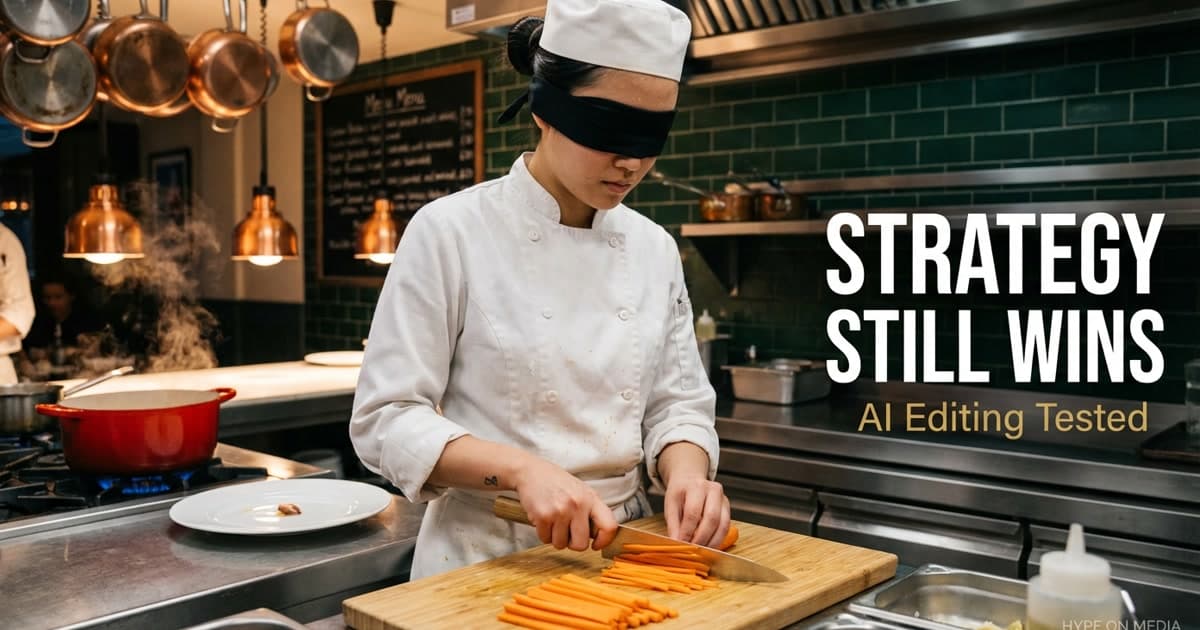
For a free mobile app, this is genuinely impressive. But here's the analogy that explains everything: YouTube Create is a sous chef who can julienne vegetables at superhuman speed, plate with geometric precision, and time every element to hit the pass simultaneously — but who is wearing a blindfold over their nose. They can prep. They can execute. They cannot taste. The mechanical work is flawless. The palate — the strategic judgment about whether the dish actually works for the diner who ordered it — is absent.
We tested it extensively across content types — short-form promotional content, tutorials, talking-head formats, B-roll-heavy brand pieces. The verdict: YouTube Create raises the floor for acceptable editing quality. Professional strategic editing raises the ceiling for content performance. And in 2025, the gap between floor and ceiling is widening, not narrowing.
What YouTube Create AI Actually Does
The AI editing layer in YouTube Create is built around five core functions: clip arrangement, music matching, transition selection, template application, and voiceover generation.
Clip arrangement uses computer vision to analyze footage for scene types, motion levels, and subject prominence. It assembles clips in a logical order based on visual coherence — not narrative logic, but visual coherence. For event coverage, product demos with multiple angles, and travel-style content, the output is frequently usable with minimal manual adjustment.
Music matching reads the pacing and energy level of arranged clips and selects from YouTube's royalty-free audio library. The selection logic is better than random — it matches energy correctly and respects natural climax points. It won't select a cinematic orchestral swell for a casual talking-head format, which is more editorial awareness than most random music searches produce.
Voiceover generation produces script-to-speech audio that sounds noticeably more natural than 2023-era AI voice tools. Regional accent options are available. The speech patterns handle industry vocabulary without the robotic cadence that made earlier voiceover AI obviously synthetic.
Templates are the clearest improvement. Old templates forced footage into rigid structures. New AI-adapted templates use your actual content to determine section lengths, pacing, and text overlay placement.
Where the Sous Chef Excels
For three specific use cases, YouTube Create's AI editing produces results that would have required hours of manual work eighteen months ago. These are the prep tasks — the mechanical work where speed matters more than taste.
Social-first Shorts and Reels: For 30-90 second vertical content optimized for mobile feed performance, Create's output is genuinely competitive. The app's understanding of mobile viewing patterns — opening energy, text overlay timing, pacing — is calibrated to current platform norms.
Internal and educational content: For tutorial content where the primary value is information transfer rather than entertainment, Create produces clean, watchable results. The transitions are functional, the pacing is acceptable, and the music doesn't interfere.
Event documentation: Multi-angle event footage is the raw material Create handles best. The AI's ability to sequence clips from the same event into a coherent visual narrative — without manual logging and assembly — compresses what used to be a 4-6 hour editing task into a 20-minute review.
Where Professional Editing Still Wins — And Always Will
This is where the blindfold matters. YouTube Create is good at making videos look decent. Professional editing delivers strategic editing — and strategic editing is the work that drives retention, channel growth, and measurable business outcomes.
Hook structure is not automated. The first 30 seconds determine whether the algorithm distributes or buries a video. A strong hook requires understanding the viewer's psychology — what they fear, what they want, what question needs answering — and structuring the opening to address that immediately. Create arranges clips based on visual coherence. It does not understand why a viewer opened the video.
Retention curve management requires intent. Our editing process is built around the engagement heatmap: we know from thousands of videos where attention typically drops, what transitions extend viewing, how pacing should accelerate at the 40% and 70% marks. This isn't intuition — it's a data-driven editing discipline that Create cannot replicate because it doesn't have access to the viewer psychology that produced the data.
Brand consistency at scale requires human editorial judgment. A channel's voice — the way it paces arguments, the rhythm of cuts, the specific style of B-roll deployment — is built over hundreds of editorial decisions that compound into a recognizable identity. AI tools match templates. They cannot build editorial voice.
Across our 50+ client channels, the performance gap between AI-assisted content and strategically edited professional content widened in 2025, not narrowed. The floor rose — Create is raising it further — but the ceiling is also rising.
How to Use YouTube Create Intelligently
Dismissing Create because it's "not professional" misses the real opportunity: it's an excellent tool for the right use cases. The sous chef analogy tells you exactly how to deploy it.
Use Create for prep work and reserve professional editing for the tasting menu. High-frequency social content, behind-the-scenes clips, community tab videos, and repurposed clips from long-form content can all run through Create efficiently. Strategic cornerstone content — your hero videos, pillar content, anything designed to rank in search or build authority — warrants professional editing investment.
Use Create for rapid iteration testing. Before committing production resources to a new format, use Create to produce rough versions for testing. If the concept performs, invest in professional production. If it doesn't, you haven't burned budget on a format that doesn't work.
Don't use Create when your brand voice is the product. For channels where the creator's personality or expertise is the core value proposition, AI editing dilutes what makes the channel valuable. The editorial decisions that communicate voice — the specific moments chosen, the pacing rhythms, the choice of what to cut — are the taste the sous chef can't provide.
The Prediction We Made Early
We've been tracking YouTube Create since its February 2024 expansion to 21 countries. Our prediction at the time: Create would raise the minimum acceptable production floor, making strategic editing — not production quality — the real differentiator. That prediction has been confirmed by 12 months of data.
The gap in views and retention between average-quality AI-edited content and average-quality professionally edited content is narrowing. But the gap between strategically edited content and both of those categories is widening. The audience's tolerance for low production is higher because AI tools made decent quality accessible. Their tolerance for unstrategic content — hooks that don't work, pacing that doesn't retain, content that doesn't answer their question — is lower than ever.
YouTube Create solves the production problem. It doesn't solve the strategy problem. The sous chef preps beautifully. The head chef still decides what's on the menu.
Frequently Asked Questions
What can YouTube Create's AI editing do?
YouTube Create's AI editing can automatically arrange clips, select background music, apply transitions, adapt templates to your footage, and generate voiceovers from text. The 2025 update significantly improved clip arrangement logic, music matching, and voiceover naturalness compared to earlier versions.
Is YouTube Create good enough for professional use?
YouTube Create is good for high-volume social content, event documentation, and educational tutorials where information transfer is the primary goal. It's not suitable for cornerstone brand content, search-optimized long-form videos, or any content where editorial voice is part of the value proposition. It raises the production floor but doesn't reach the strategic ceiling.
How does AI editing compare to professional video editing?
AI editing produces visually coherent content efficiently — it's the prep work. Professional editing adds strategic value: hook structure designed for viewer psychology, retention curve management based on platform data, and editorial voice that builds channel identity. The difference is not production quality — it's strategic intent.
Should I use YouTube Create for my channel?
Depends on the content type. Create is appropriate for community content, repurposed clips, and social-first short-form — the prep work of content production. For hero content, pillar videos, and anything designed to rank in YouTube search or build authority, professional strategic editing produces significantly better results.
Is YouTube Create free?
Yes, YouTube Create is free on iOS and Android. It includes royalty-free music, templates, transitions, and AI editing features at no cost. There are no premium tiers as of Q2 2025.